Calls Report
Calls
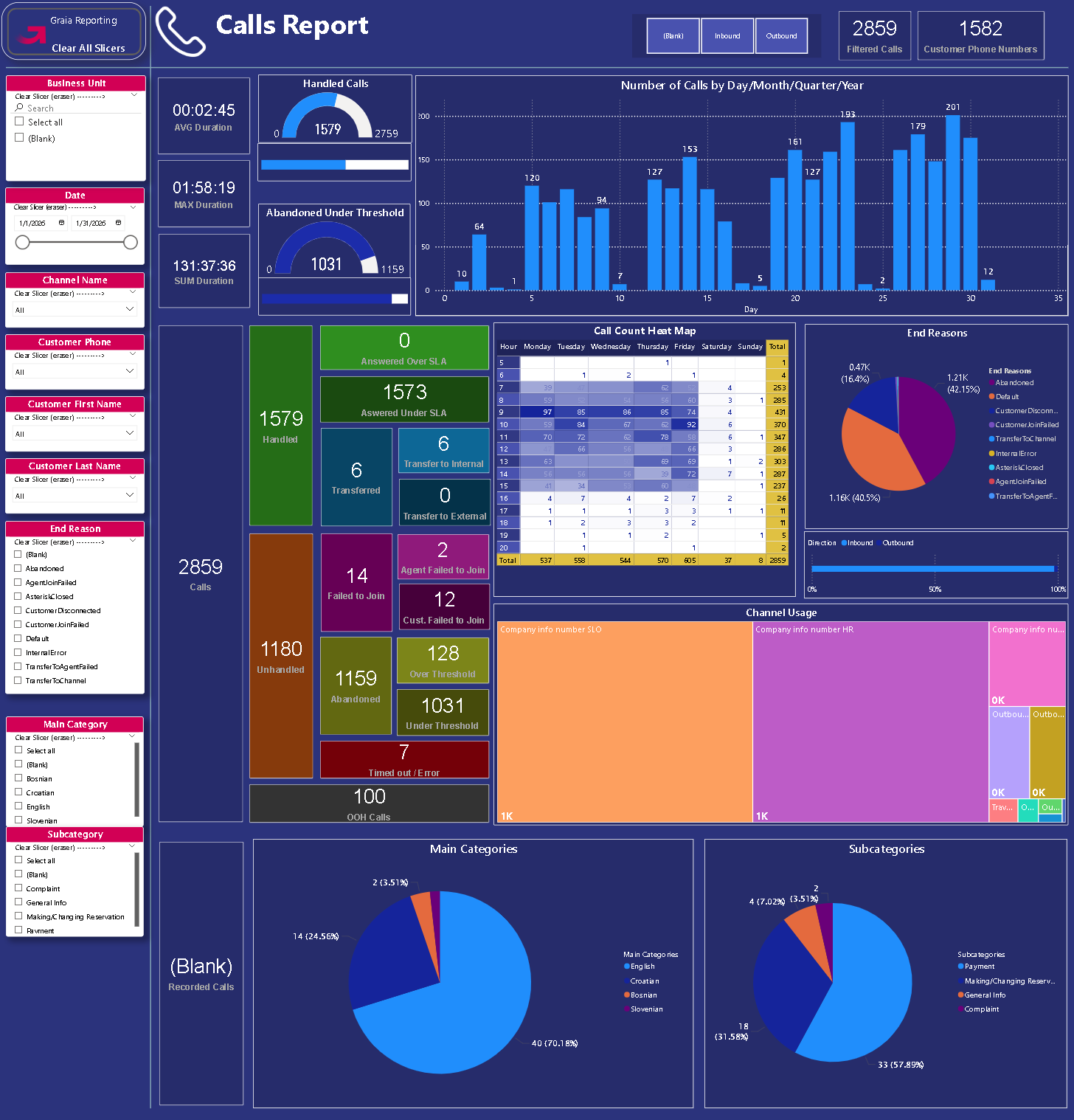
This page displays information about the calls (voice conversations) of the contact center. The slicers on this page are synchronized with those on the page 'Call Details'.
Inbound/Outbound Slicer
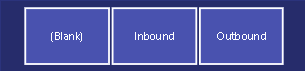
An additional slicer that can be used to filter for the conversation direction from the perspective of the contact center. It works like other tile slicers: click on one of the tiles to activate it. Click on the same tile to deactivate it.
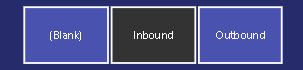
E.g. when the slicer looks like this, only inbound calls are shown:
AVG Duration
The average amount of time a call existed for. This time includes bot segment (menu) time, queue time and agent time but not hold time (the amount of time the call was put on hold for).
MAX Duration
The longest time any call existed for. This time includes bot segment (menu) time, queue time and agent time but not hold time (the amount of time the call was put on hold for).
SUM Duration
The aggregated (total) amount of time calls existed for. This time includes bot segment (menu) time, queue time and agent time but not hold time (the amount of time the call was put on hold for).
Handled
A gauge and a stacked bar chart showing how many handled vs. unhandled calls there were in the contact center. The gauge shows cardinal values while the stacked bar chart shows the same data in percentages. By and large, the fuller the gauge is, the better.
A call is considered handled when its end reason is either 'Default', 'CustomerDisconnected' or contains the word 'Transfer'. All other calls are considered unhandled, e.g. 'Abandoned', 'CallbackRequested', 'AgentJoinFailed' etc.
Abandoned
A gauge and a stacked bar chart showing how many abandoned calls there were in the contact center. The gauge shows cardinal values while the stacked bar chart shows the same data in percentages. By and large, the fuller the gauge is, the better.
Number of Calls by Day/Month/Quarter/Year
Column chart showing the amount of calls per day, month, quarter or year.
Tip
Use the up arrow  to drill up a layer and the double down arrow
  to drill down a layer.
Call Count Cards Section
This is a block of card visuals that show the number of various types of calls based on their outcome.
The cards are placed in such a way so as to suggest inclusion relationships between them (i.e. how the different types add up to a higher level total.)
E.g. Going from left to right, 'Calls' are divided into 'Handled', 'Unhandled' and 'OOH Calls' (out of hours). 'Unhandled' is further divided into 'Failed to Join', 'Abandoned' and 'Timed out / Error' etc.
Call Count Heat Map
Matrix showing the number of calls by each hour of the day and day of the week; the more calls there were in a particular hour, the darker the tile representing that hour.
End Reasons
Pie chart of how many calls were ended with various reasons.
Direction
Stacked column chart showing the percentage of inbound vs. outbound calls.
Channel Usage
Treemap showing the relative usage of different channels, i.e. how many calls were made through each channel. The relative size of a tile is proportional to the amount of calls that flowed through it.
Main Categories
Pie chart showing the main category ratios and numbers of calls as they were categorized by AI conversation categorizer.
Subcategories
Pie chart showing the subcategory ratios and numbers of calls as they were categorized by AI conversation categorizer.
Call Details
This page contains a large 'Calls' table with detailed information about individual calls (voice conversations) of the contact center. Further, there are smaller tables ('Bots', 'Queues', and 'Work Items') below that show the life cycle of the selected call. The slicers on this page are synchronized with those on the page 'Calls'.
Note
Filtering between the tables only works in this direction:
Select a row in 'Calls' --> 'Bots', 'Queues', and 'Work Items' will update accordingly.
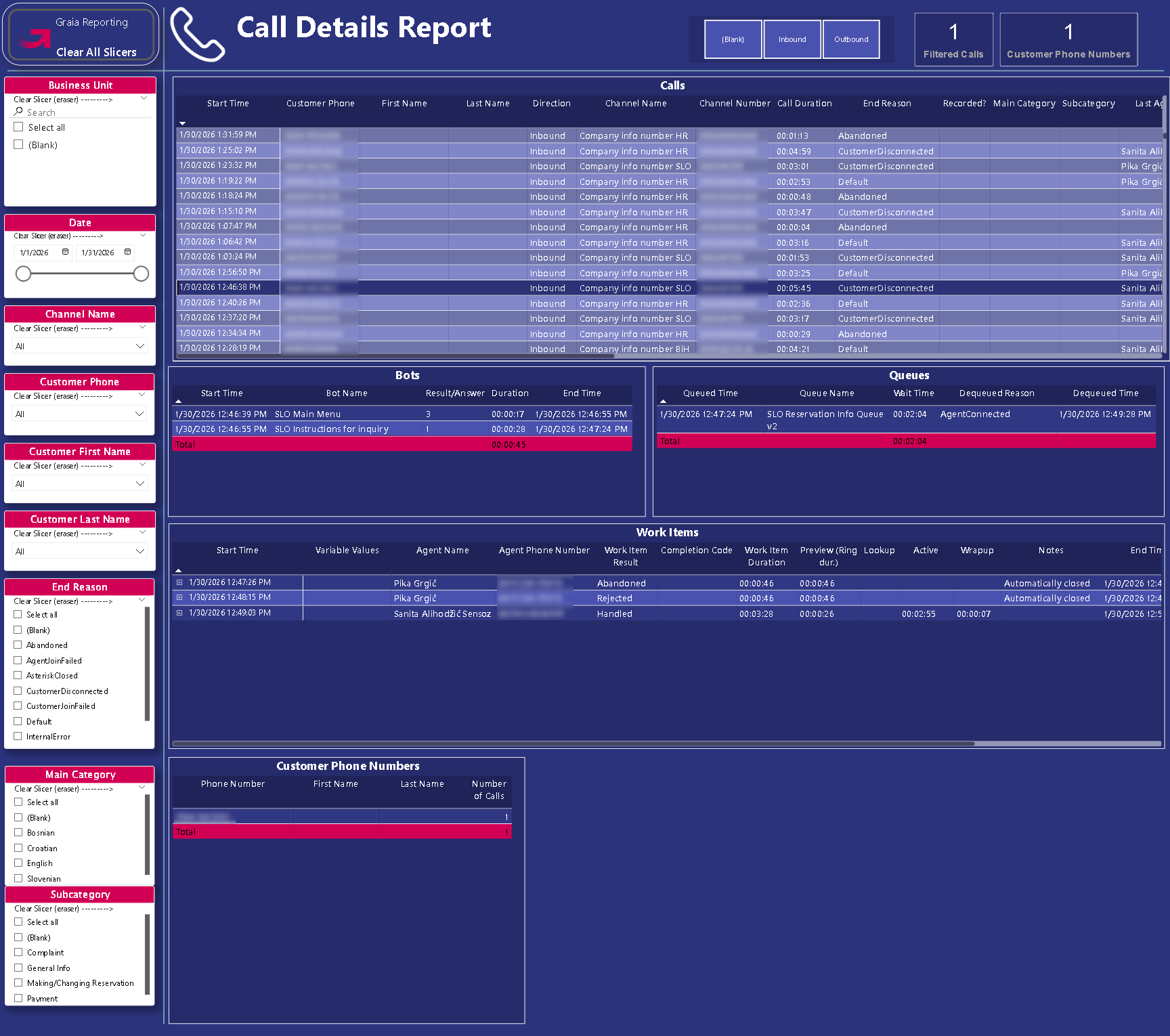
Calls
| Column Name | Description |
|---|---|
| Start Time | The date and time (in the tenant's set timezone) of when the call arrived in the contact center (channel). |
| Customer Phone | The far end party's (customer's) phone number. |
| First Name | The customer's first name. |
| Last Name | The customer's last name. |
| Direction | The direction of the call from the perspective of the contact center. Calls initiated by a contact center agent are labeled 'Outbound', others are labeled 'Inbound' |
| Channel Name | The name of the channel through which the call was made. |
| Channel Number | The phone number of the channel through which the call was made. |
| Call Duration | The amount of time the call existed for. This time includes bot segments time, queue time and agent time but not hold time (the amount of time the call was put on hold for). |
| End Reason | The reason the call was ended. E.g., 'Default' is applied whenever 'END' is specified in the flow and the customer reaches that point or when the agent closes the task and there's no survey afterwards. For the comprehensive list of end reasons, please see the odata feed definition. |
| Recorded? | Answers the question "was this call recorded?". If this field is empty, the call was not recorded. |
| Main Category | The main category into which the call was put by AI conversation categorizer. |
| Subcategory | The subcategory into which the call was put by AI conversation categorizer. |
| Last Agent Name | The name of the agent who last had a work item associated with this conversation. |
| Last Completion Code | The completion code of the last work item associated with this conversation. |
| Transferred by | If the call was transferred, who initiated the transfer (Agent or Workflow). |
| Ext. Transfer Dest. | If the call was transferred to an external destination, this field shows what that destination was. |
| Times Held | The number of times the call was deliberately placed on hold. This does not include the times when the customer is on 'hold' while waiting in a queue. |
| Hold Duration | The cumulative amount of time the call was on hold. |
| OOH | What state was the channel in when the call was made? (open | closed | holiday) |
| Bot Steps Visited | The number of bots the call encountered while going through the workflow configured for the channel. |
| Bot Segments Duration | The cumulative amount of time the call was in bot workflow nodes. |
| Queues Visited | The number of times the call was put in a queue. |
| Queue Segments Duration | The cumulative amount of time the call was in queues. |
| Agents Visited | The number of agents the call was handled by. |
| Agents WI Duration | The cumulative amount of time the call was with agents (not including time on hold). |
| Conversation ID | The technical identifier of the conversation. |
Bots
| Column Name | Description |
|---|---|
| Start Time | The date and time (in the tenant's set timezone) of when the call entered the bot node. |
| Bot Name | Name of the bot - this appears in the workflow editor on the Graia CCaaS portal, it is the title of the node. |
| Result/Answer | Depending on the bot type, this is either the technical outcome of the bot node or the answer from the customer where available. |
| Duration | The amount of time the customer spent in this bot node. |
| End Time | The date and time (in the tenant's set timezone) of when the call exited the bot node. |
Queues
| Column Name | Description |
|---|---|
| Queued Time | The date and time (in the tenant's set timezone) of when the conversation entered the queue. |
| Queue Name | Name of the queue where the conversations were waiting. |
| Wait Time | Amount of time the conversation spent in the queue. |
| Dequeued Reason | The reason why the conversation was dequeued. |
| Dequeued Time | The date and time (in the tenant's set timezone) of when the conversation exited the queue. |
Work Items
| Column Name | Description |
|---|---|
| Start Time | The date and time (in the tenant's set timezone) of when the work item was created (presented to the agent). |
| Agent Name | The agent's name. |
| Agent Phone Number | The agent's phone number at the time of the conversation. |
| Work Item Result | The outcome of the work item. What happened to it ultimately. The values are set by the system. |
| Completion Code | The completion code chosen by the agent for the work item. The values are set by the contact center administrator. |
| Work Item Duration | The amount of time the work item existed from its creation to its closure. |
| Preview (Ring dur.) | The amount of time the agent spent previewing the work item before accepting it. |
| Lookup | The amount of time the agent spent with the work item in lookup mode (relevant to outbound conversations only). |
| Active | The amount of time the agent spent in active conversation with the customer. |
| Wrapup | The amount of time the agent spent with the work item wrapping it up. |
| Notes | The note attached to the work item by the agent. 'Automatically closed' is attached by the system. |
| End Time | The date and time (in the tenant's set timezone) of when the work item was closed. |
| Work Item Id | The technical identifier of the work item. |
Customer Phone Numbers
Table that lists the unique phone numbers that have either called in to or were called by the call center. The table also contains the number of times each phone number was involved in a call. This is to help call centers identify not just the amount of calls they are making but also the amount of customers they are reaching.